Compare a hotel's purchases with Accor's negotiated prices.
From an invoice, the tool proposes products from Accor's catalogue and calculates possible savings. I redesigned the flow with buyers and sales people so they could check the proposed products, correct the comparison and choose when to validate it. I then delivered a React prototype taken over by the developer.
The starting point
Accor negotiates prices with suppliers. To convince a hotel using its invoice, sales people need to show credible savings. The existing tool is difficult to scan; one sales person uses it only to turn invoices into spreadsheets, then compares products manually.
The product manager has already built a clearer prototype. The brief calls for mockups and a design system. Over four weeks on site, I met two buyers and a sales person, designed and coded a React prototype on the target stack, then handed the repository to the developer. The interviews made checking proposed products central to the flow.
Correct the invoice before comparing
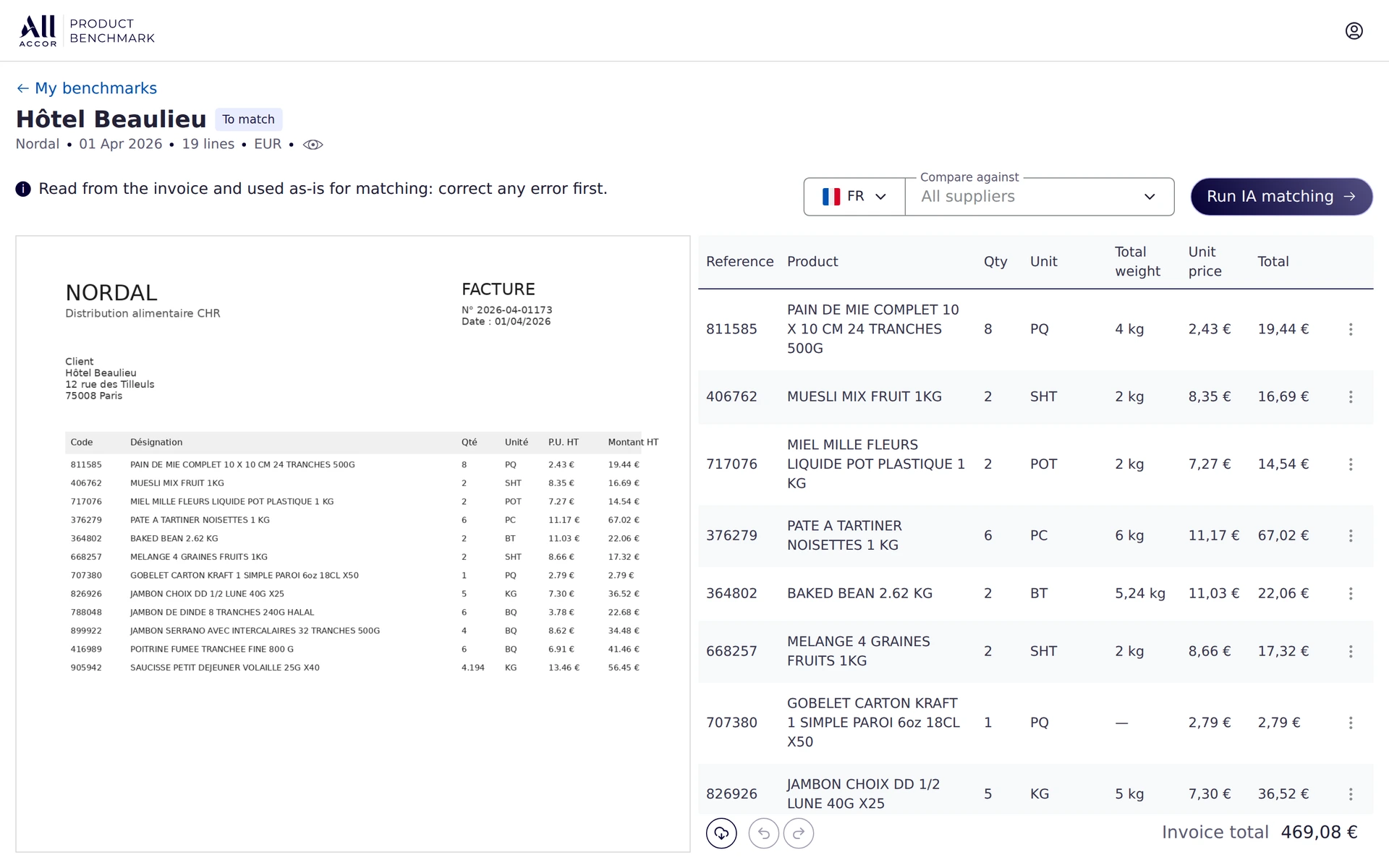
The extracted invoice data is used to compare products and prices. I placed the original invoice on the left and its extracted lines on the right, with values editable in each row. Comparison starts only after this review.
The source stays in view while the user makes corrections. This arrangement replaces checking in another tab or in a window overlaid on the tool.
Compare products in the same columns
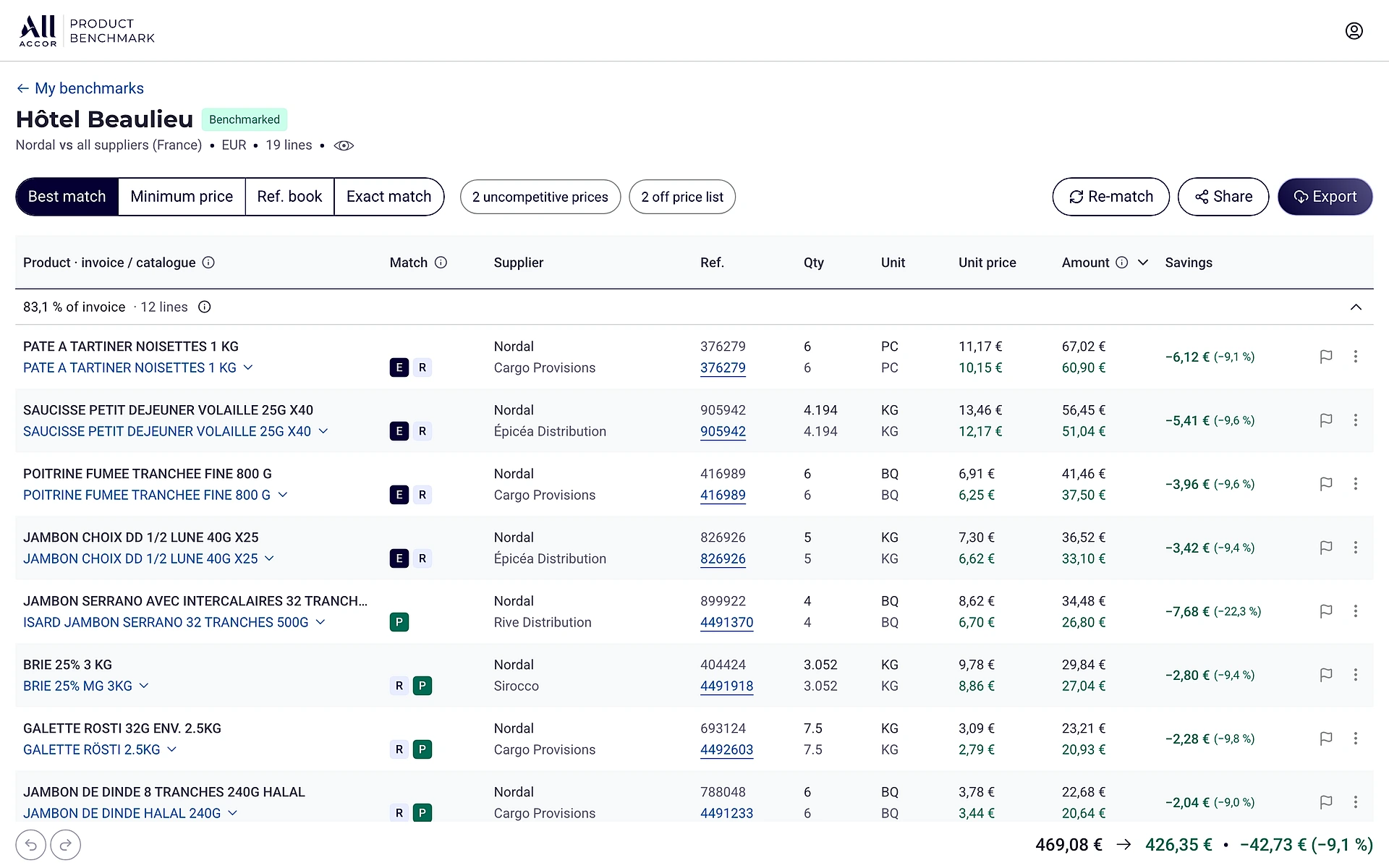
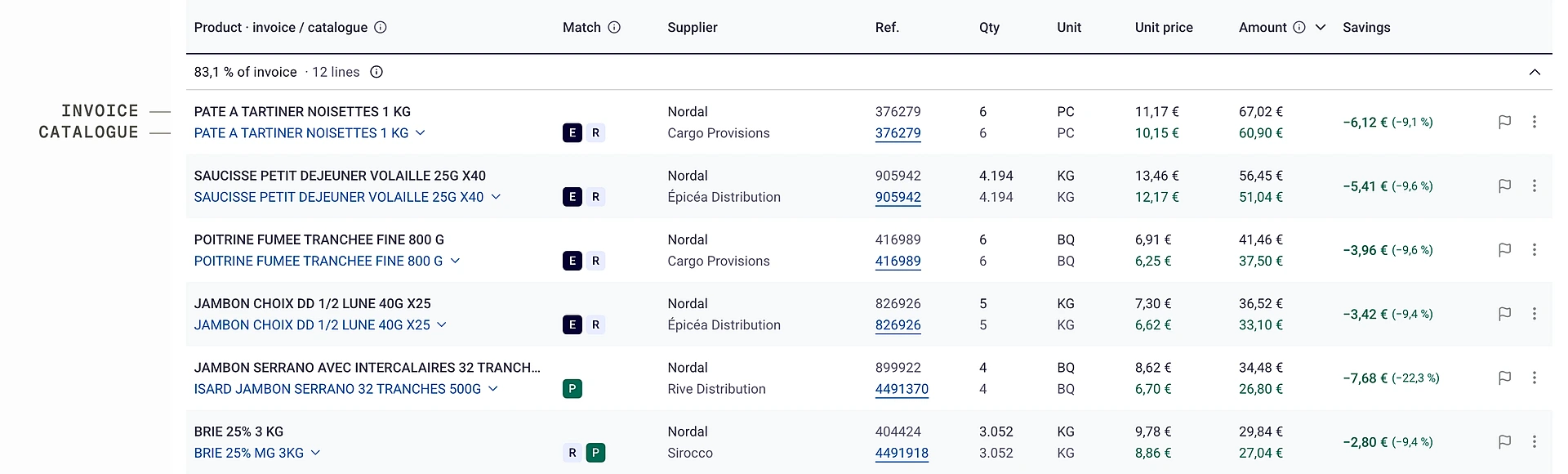
The product manager’s prototype displayed products as cards. I chose a compact table: invoiced information sits above the proposed product’s information in the same columns. Prices and quantities can be compared without moving between cards.
Both buyers interviewed preferred a dense view so they could scan more lines at once, as in their spreadsheet. This preference guided the table’s organisation.
Correct a proposal without distorting the result
A proposed product may not be suitable. The buyer can choose another alternative or keep the line without assigning it any savings. When the catalogue is more expensive, the difference remains visible. The comparison retains both products without equivalents and less favourable prices.
The interviews reframed the problem: a readable comparison can still be misleading if the products are not equivalent. One buyer preferred the tool to acknowledge that no alternative was available rather than force an unsuitable match.
Find less favourable lines
Change the comparison criterion
Identical, listed or lower-priced products: profiles re-rank alternatives already found, and totals update accordingly. The product manager clarified that this change should use precomputed results. I dropped the idea of rerunning the search each time the criterion changed.
When the buyer sources an alternative
In the 16 June test, the buyer explained that he sometimes has to ask a supplier for a price himself. The prototype lets him add this proposal to an existing line’s alternatives, then select it for comparison. This completes an invoice line; it does not create a purchase absent from the invoice.
Prototype limitation: the added alternative can be lost when rows are reset, including when switching profiles. This behaviour needs to be addressed during integration.
Export work in progress, validate when finished
Exporting and finishing are different actions. I let the user choose at export: keep an editable benchmark or validate it. Once validated, the result becomes read-only and tools that could change the comparison disappear.
During the test, the buyer rejected automatic validation on export: he often revisits a comparison after exporting it. Validation must reflect the point when he considers his work finished.
Export and keep working
“Still working on it” exports a copy. The benchmark remains editable.
Export and validate
“I’m done” validates the result. The benchmark becomes read-only.
The three application states
To benchmark
- Invoice imported
- Lines checked
- Target supplier chosen
Benchmarked
- Products compared
- Alternatives and editing
- Flags and notes
Validated
- Read only
- Direct export
- Flags editable
Flag a difference for renegotiation
A line can be flagged for renegotiation with a comment for the category manager or client. The flag remains editable in a validated benchmark: it communicates information without changing the figures. Annotation persistence remains a limitation of the deliverable.
Delivery and observed outcomes
The head of sales validated the direction early in the mission. The web developer took over the repository handed over the day before I left, with the backend and real data still to integrate. Before this mission ended, the same client had commissioned a second prototype: Drink Menu Compliance.
One recorded user test was conducted with a buyer, and his feedback was integrated the next day. His reaction concerns a prototype with fictional data, not production usage: “If it’s that simple every time, it’s brilliant.”
The structure handed to the developer
React 19, TypeScript and Vite, using the client’s design system tokens. Eleven test files cover calculation logic. Five decision notes, error states and open issues accompany the repository. A single data-access module shows the developer where to connect the real engine.
- Screenscomponents that never touch the data
- Hooksapplication state, reads and writes
- api.tsthe only module that talks to the backend, one function per call, simulated latency
- Backendthe client's comparison engine, to be plugged in
The limits
Fictional data, simulated comparison, no backend or real authentication. A per-line confidence score was not built. Annotations and added alternatives have persistence limitations. Only one user test is documented, with no field sales person.
What I would do differently
I would put the prototype in front of a field sales person by the second week. The documented test was conducted with a buyer, later in the mission.